Who lives where
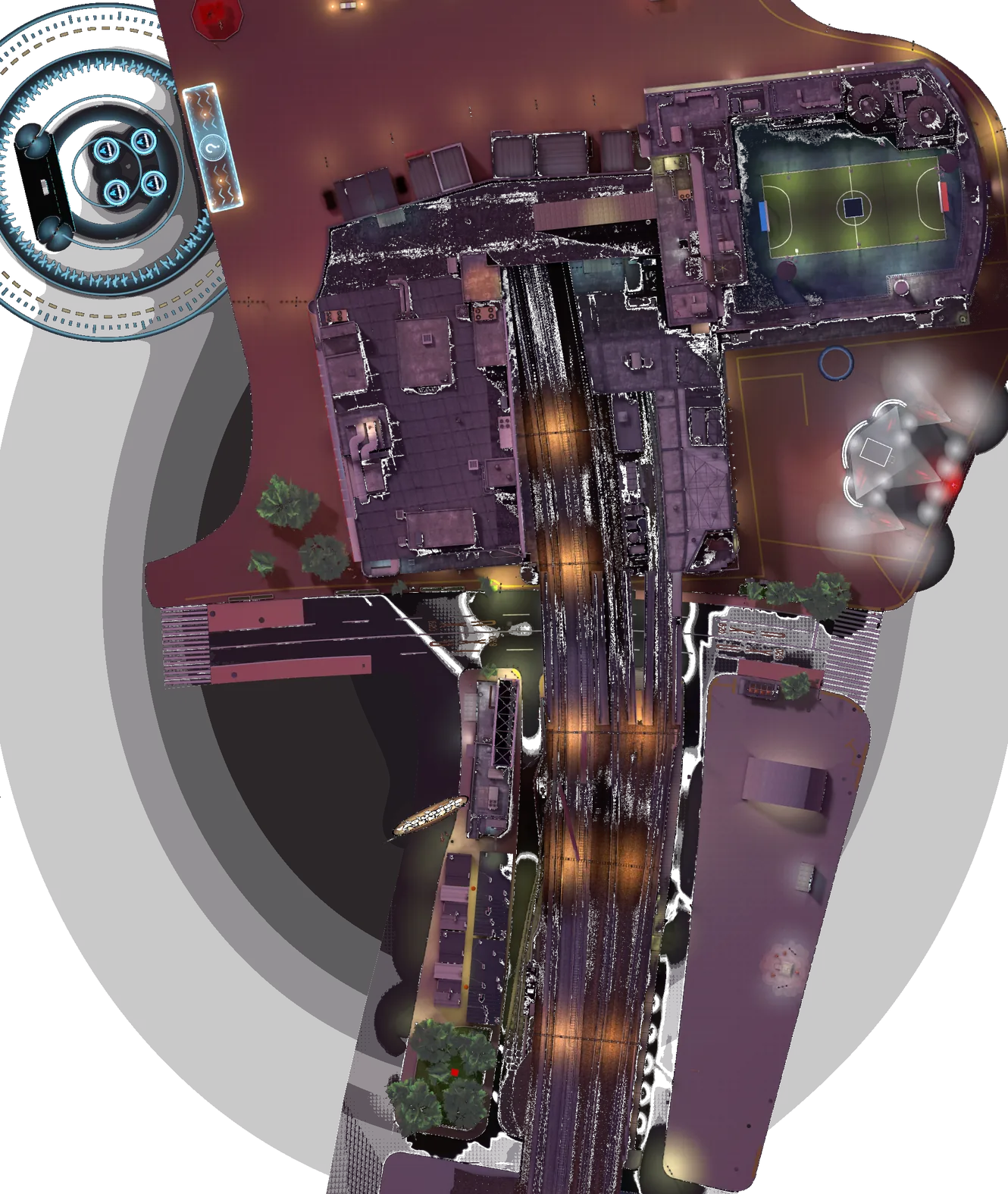
Every house in the city, straight from the game server. Owners show up here a few seconds after they move in.
Getting a house
Anybody can visit any house, any time. Owning one takes a bit of reputation.
Reach Gold
Claiming needs the Gold rank (425 points). Achievements, play time, races and quizzes all count. See the ranks.
Find a free door
Look for the brass sign saying For sale next to a door with a glowing circle on the ground. Free ones are green on the map above. Walk in with E.
Claim it
Inside, go to the For sale board and press Interact, then confirm. One house per player. Your name goes up on the door right away.
Come home
From anywhere in the city, the pause menu has a Go home button. In Miyama Heights, the elevator panel marks your floor with a star.
It's all yours. Once claimed, the house is yours and only you can decorate it. Everybody else can drop by and visit, but nobody else can move a single chair.
Play at least once a month. A house whose owner hasn't connected for 30 days goes back on sale. The furniture stays for the next owner.
Want a different place? Move out from the decorating screen, then claim another one. When you log in, the chat tells you who moved in and out of the neighbourhood since your last visit.
Decorating
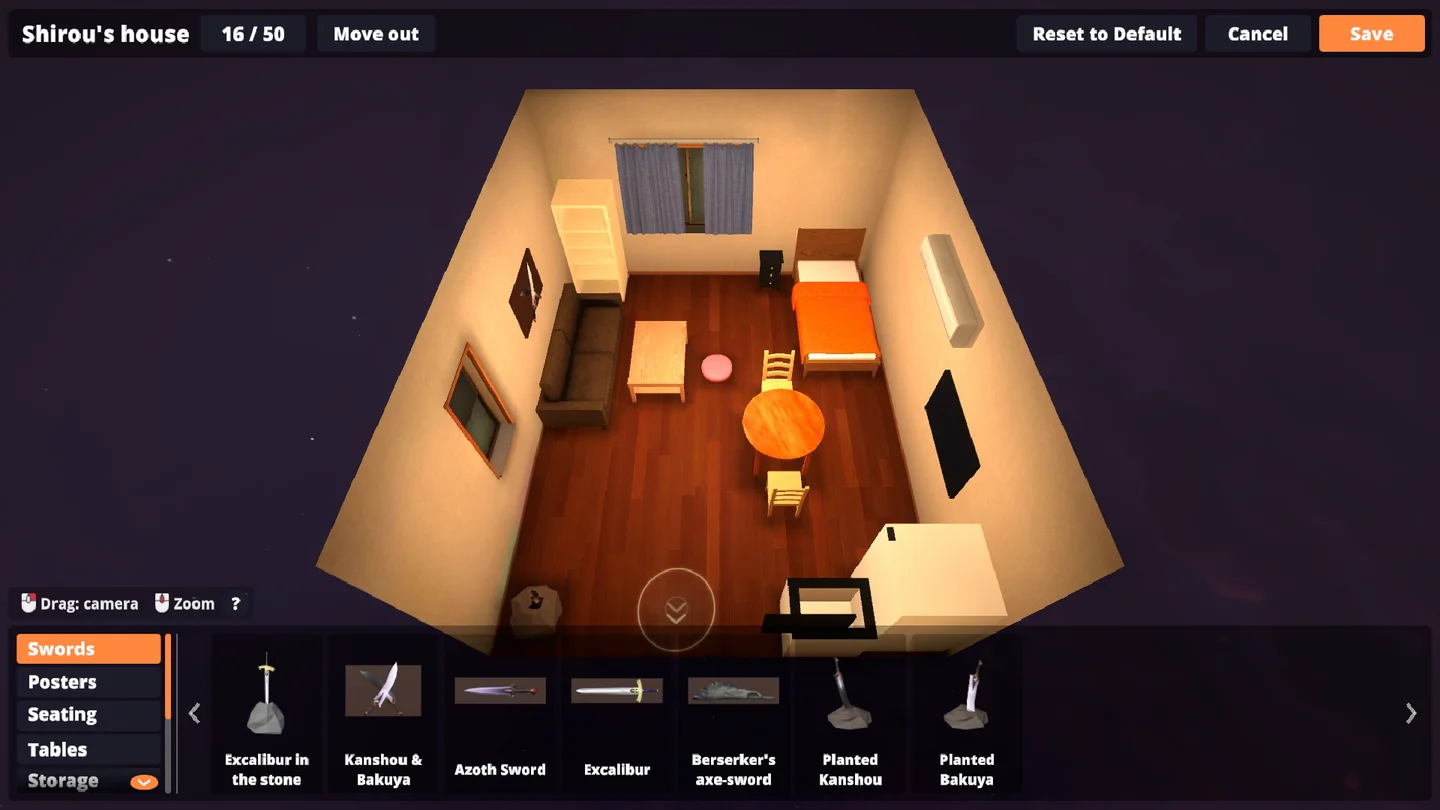
In your house, press Interact on the board by the door and choose Decorate. The camera leaves your Shirou and you see the whole room like a doll's house. Nothing changes for visitors until you press Save.
Hold Shift for precise placement
By default, pieces snap to a 25 cm grid, push flush against the walls and their neighbours, and turn in 45° steps. That's quick for a tidy room, but sometimes you want a chair slightly askew or a plant squeezed into a corner.
Hold Shift while you drag or turn: no grid, no snapping, and the piece turns 5° at a time with R or the mouse wheel. Let go of Shift and the next move snaps again.
Keyboard & mouse only. Try it on the room here →
Furniture
- Pick up, move, put downDrag from the catalog into the room, or drag a placed piece
- Left drag
- Copy a placed pieceTakes another one of it in hand
- Right click
- Turn the piece in hand
- R/wheel
- Free placement & 5° turnsNo grid, no snapping, while held
- hold Shift
- Delete the piece in handOr drop it on the bin
- Del/←
Camera & menu
- Turn around the room
- Right drag
- Move the camera
- Middle drag/WASD
- Up / down
- Space/CtrlorC
- ZoomWhen nothing is in hand
- Wheel
- BackPut the piece back, then leave (asks before losing changes)
- Esc/P
Furniture
- Move the cursor
- Left stick
- ClickCatalog, buttons and room alike
- A
- Turn the piece
- LBRB
- Drop the piece / back
- B
Camera & menu
- Turn around the room
- Right stick
- Other viewJumps between preset angles
- On-screen button
- Leave
- Start
- Fine placementSnapping is always on with a controller
- —
Furniture
- Take a pieceTap it in the catalog, or tap one in the room
- Tap
- Move it
- Drag a finger
- Put it downYour finger would hide where it goes
- Place button
- Turn / delete
- Turn button·Bin
Camera
- Turn around the room
- Two fingers
- Zoom
- Pinch
- Other view
- On-screen button
Green fits, red doesn't
The piece in hand is a ghost: green where it can go, red where it would clip into a wall or another piece. The spot just inside the door always stays clear so nobody arrives inside a wardrobe.
Floors, tops and walls
Floor pieces stand on the floor or on top of tables and counters. Posters, plaques, TVs and lights stick to the walls.
80 pieces, 50 per house
The counter at the top shows how many you've used. The catalog is sorted by room:
Save, cancel, start over
Save sends the new layout to everyone inside. Cancel drops your changes. Reset to Default brings back the furniture the house came with.
Five layouts
Every house comes furnished and has its own wallpaper and floor tint, so no two homes look quite the same.
Tips
Start from a sword
The Swords tab comes first for a reason: Excalibur in the stone, a Kanshou & Bakuya plaque, planted twin blades. Every Shirou's home needs a few.
Copy, don't search
Need six identical chairs around a table? Right click the first one to take a copy in hand, place it, right click again.
Check the mailboxes
Miyama Heights lists its residents by the lobby mailboxes, and the vacancy board outside shows how many apartments are free.
Open house
Visitors see your saved layout live, so invite people over and redecorate while they watch. A number next to a house in the list above means players are inside right now.